Chrome asks which email to save — right after you typed it
You reset your password from inside your email. Chrome offers to save it, with the username field blank — the one thing it just watched you type.
Facts cited
| Chrome users worldwide | 3.8 billion | DemandSage / Backlinko, 2026 |
|---|---|---|
| Global life expectancy | 73 years | World Bank, 2023 |
Assumptions low → high
| What we can't measure | low | likely | high |
|---|---|---|---|
| Users who hit this on a given day | 0.5% | 1% | 2% |
| Times per day it happens | 1× | 1× | 1× |
| Seconds wasted each timeLow = the physical click. High = the interruption / context-switch cost. | 5s | 10s | 20s |
| Share where Chrome can't infer itA charity toward Chrome — it watched the username get typed anyway. | 50% | 50% | 50% |
Who can fix it
- Owner
- Chromium password manager team (components/password_manager/)
- Channel
- issues.chromium.org — Chrome > Autofill > Passwords
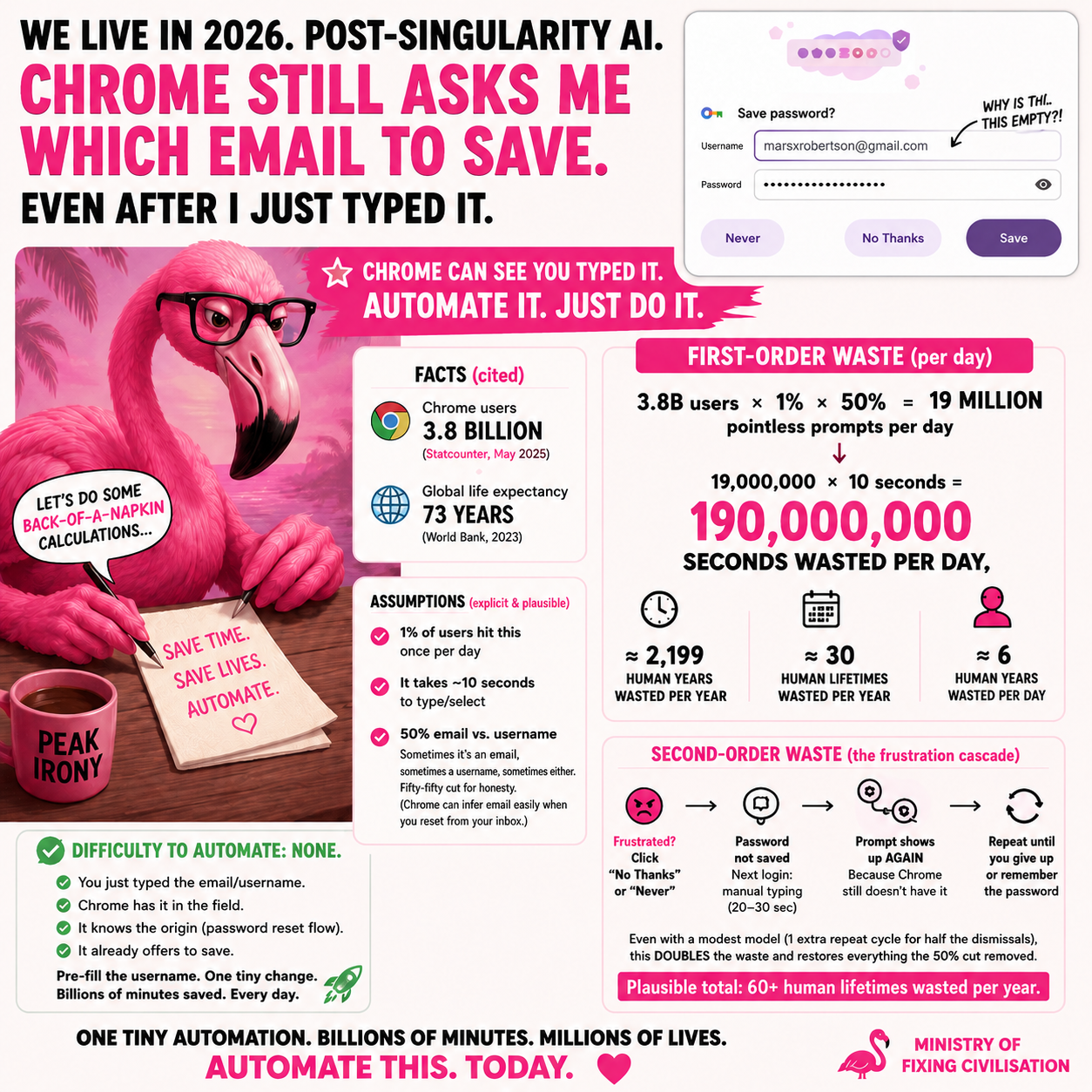
We live in 2026, post-singularity AI — and Chrome still opens a Save password? dialog with the username field empty, moments after you typed that exact username into the login form. It saw it. It just doesn’t offer it back.
The math
3.8B users × 1% × 50% = 19M pointless prompts / day
19 million × 10 seconds = 190 million seconds wasted per day ≈ 2,200 human years / year ≈ ~30 lifetimes / year — from this one blank field. The low estimate still costs 8 lifetimes; the high, 60.
Second-order waste — the frustration cascade
The first-order number ignores what a frustrated user does, and every branch pushes it up:
- Annoyed, they hit No Thanks / Never → the password never gets saved.
- Next login: no autofill → they retype email + password (20–30s, not 10).
- And the save-prompt fires again, because Chrome still doesn’t have it.
- Repeat until they capitulate or memorise the password.
Even a modest model — one extra retype cycle for half of dismissals — roughly doubles the waste and restores everything the 50% cut removed.
The rebuttal, pre-empted
“Chrome does prefill the username when the site marks its form with
autocomplete="username". The blank field is bad site markup, not Chrome’s fault.”
True, and beside the point. Users don’t control site markup. Chrome’s heuristics can compensate — and in the empty-field case, Chrome watched the value get typed into a field on the same origin, this session. The fix: when the save-prompt username is empty, backfill from (a) the credential submitted on this origin this session, or (b) the account the password-reset email was addressed to.
Difficulty to fix: none
You just typed it. Chrome has it in the field. It knows the origin (a password-reset flow). It’s already offering to save. Pre-fill the username — one tiny change, billions of minutes saved, every day.
Read this case's source — _cases/001-chrome-password-empty-username.md